
QC Finder
See warehouse QC photos and estimate international shipping for Taobao, Weidian and 1688 items, right where you find the link.
What it does
QC photos where the link is
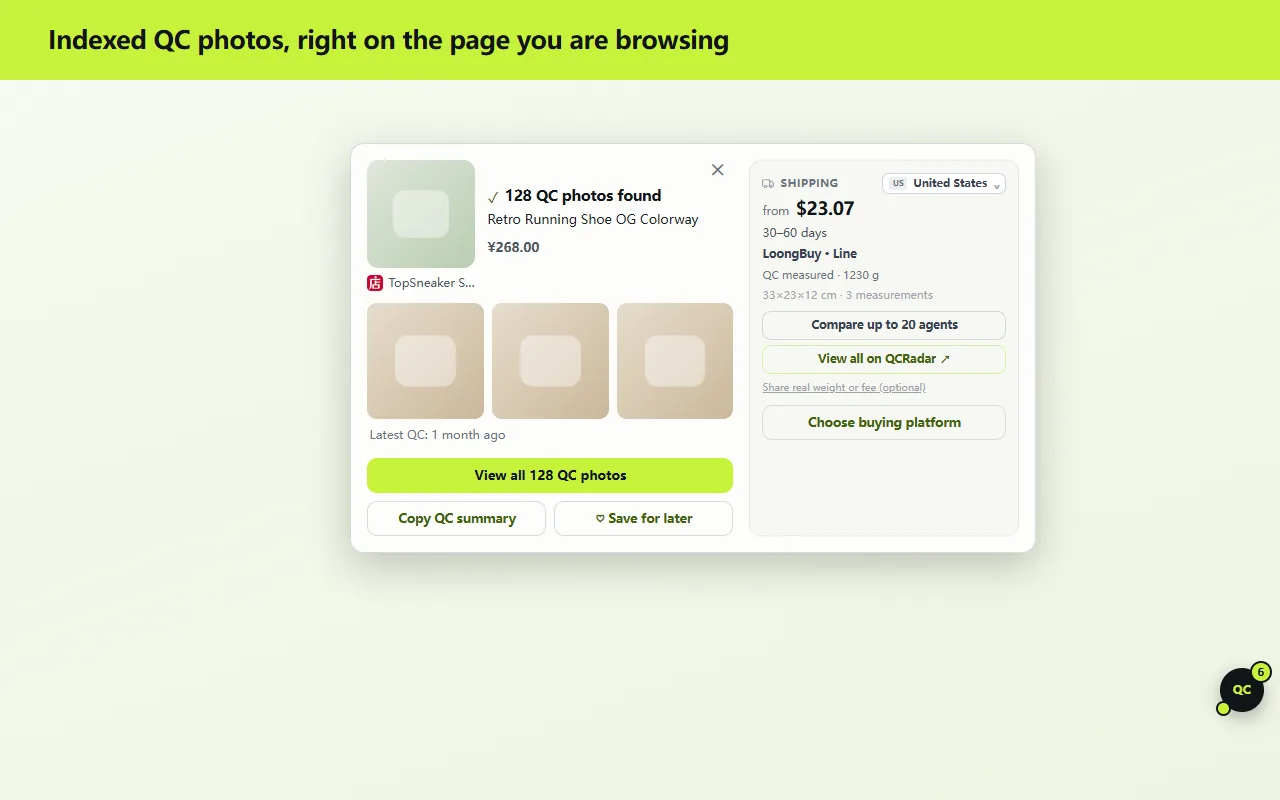
On sites you enable, supported product links get a small QC button. Click it for the indexed warehouse QC photo count, the latest QC date, the seller and a three-photo preview.
Shipping estimates before you buy
See an international shipping estimate for the item and compare shopping agents, using parcel weights measured in agent warehouses where available.
One panel for the whole page
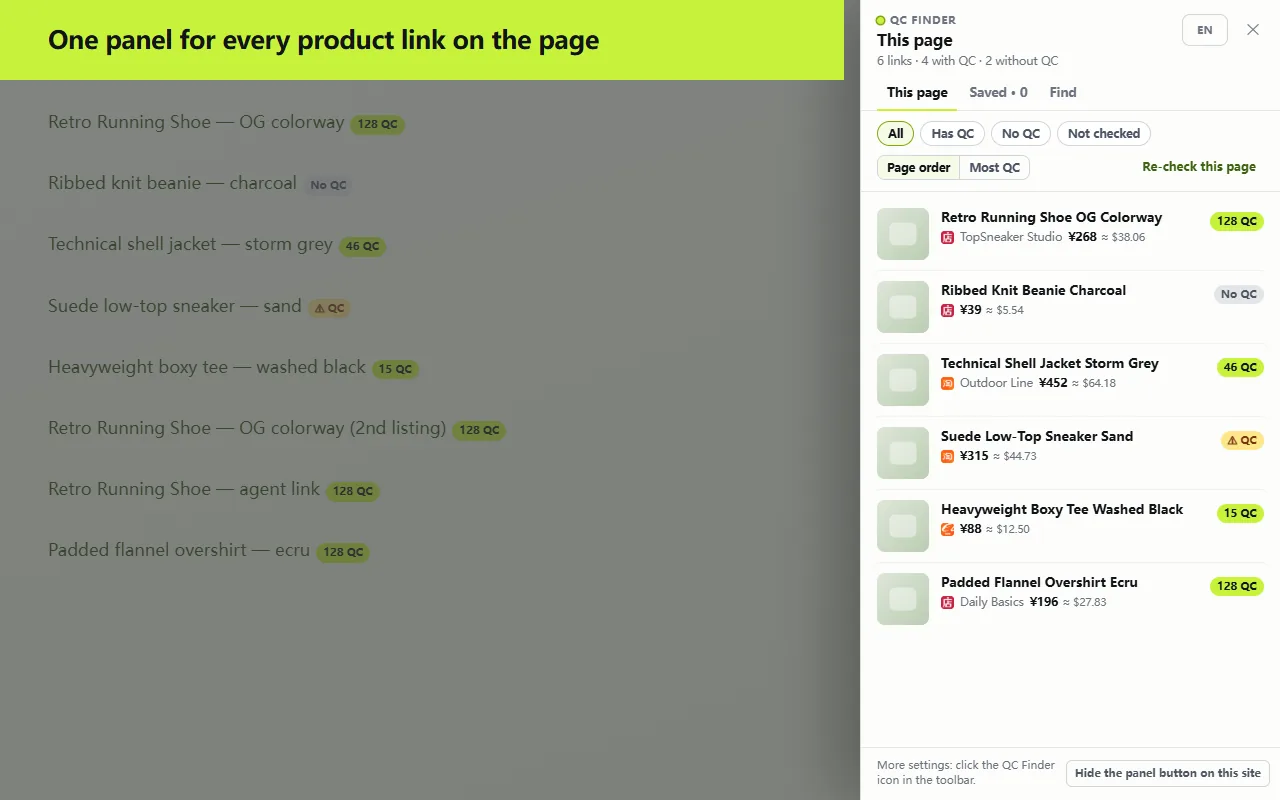
Open the side panel to list every detected product on the page with its QC count, then filter and sort. Paste a link or drop an image to look up a single item.
Agent links resolved locally
A shopping-agent product link is mapped back to the original Taobao, Weidian or 1688 item inside your browser, so the same QC data and shipping estimate show up there too.
Saved items, no account needed
Save items with their QC count and price. They stay in your browser unless you choose to connect a QCRadar account to sync them.
How it works
- 1Install QC Finder and enable it on the sites you choose. Nothing is enabled at install.
- 2Product links on those pages show a QC count as they scroll into view. Auto-check can be turned off.
- 3Open a card or the side panel to see QC photos and estimate shipping, then pick a shopping agent if you want to buy.
Where purchases happen
QCRadar is an information tool. Orders are placed and paid on the shopping-agent platform you choose; QC Finder only shows QC photos and estimates, and opens the agent's page when you click. Purchase links may be affiliate links: we may earn a commission at no extra cost to you, and it is not a primary ranking factor.
Privacy by design
- Link detection runs locally. Only the platform and numeric item ID of product links on your screen (or that you click) are sent: never the page URL, page content or browsing history.
- Auto-check runs only on sites you enable, and has an off switch in settings.
- No advertising identifiers and no cross-site profiles. The extension never reads your website cookies.
What it doesn't do
- It does not verify authenticity and makes no claims about it. It shows QC photos so you can judge with your own eyes.
- It never rewrites links on the page and never opens a purchase page without your click.
- It does not sell anything. QCRadar is not a store and is not a party to your order.
Compatibility & support
Chrome 121 or later. Works with Taobao, Weidian and 1688 product links and with links from 40+ shopping agents, on Reddit, forums, Discord (web), blogs and other normal webpages you enable. Questions or problems: [email protected].